
Rupert Marais joins us today to share his deep expertise in endpoint security and the evolving landscape of corporate network management. As an in-house specialist, he has spent years navigating the intersection of user accessibility and hardened cybersecurity strategies. Our conversation focuses on the rising tide of AI meeting tools and how organizations can maintain privacy without stifling productivity.
The following discussion explores the transition from traditional verification methods to sophisticated behavioral detection and the new administrative frameworks designed to keep unauthorized automated listeners at bay. We delve into the mechanics of the new “Manage external bots” policy and the visual safety nets now integrated into the meeting lobby experience.
How does implementing specific admin policies for external bots fundamentally change the security landscape for corporate meetings?
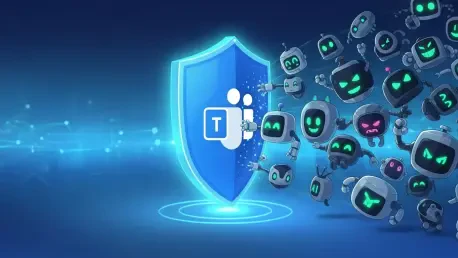
By introducing the ‘Manage external bots and their access to meetings’ policy, Microsoft has given administrators the granular control needed to close a significant privacy loophole. In the past, the lack of oversight meant that sensitive data could be recorded or transcribed by unauthorized tools without any formal gatekeeping. Now, admins can assign these protections to individual users or specific groups directly through the Teams Admin Center, ensuring a customized defense. This change ensures that even if a meeting is configured to allow participants to bypass the lobby, identified bots are still caught in a security net and held for manual approval. It transforms the meeting environment from a vulnerable open forum into a controlled space where every digital “listener” must be vetted.
Could you elaborate on the technical methods used to differentiate between a legitimate human attendee and an automated bot attempting to join a session?
The shift away from traditional CAPTCHA verification marks a major evolution in how we identify non-human entities. Instead of relying on a simple puzzle, Teams now utilizes complex behavioral and infrastructure signals to distinguish between human interaction and automated scripts. We are also seeing a new collaborative approach where independent software vendors are encouraged to register their bots and include self-identification markers. This creates a verified ecosystem where Teams can instantly recognize known participants and separate them from “Suspected threats.” By grouping lobby entrants into these distinct categories, the system provides a clear, data-driven map of who—or what—is trying to gain access.
In what ways do the new lobby controls and visual indicators help meeting organizers manage their security in real-time?
The updated lobby experience is designed to create a moment of critical reflection for the meeting organizer, preventing the “autopilot” behavior that leads to security breaches. To stop accidental admissions, Microsoft has removed the one-click ‘Admit’ option for bots, forcing the user to provide an explicit confirmation. There is also a vital safety trigger when an organizer selects ‘Admit all’; the system will now display a specific warning if bots are included in that batch. Visually, the distinction between a “Waiting” participant and a “Suspected threat” serves as a sensory red flag, ensuring that unauthorized bots are never mistaken for human colleagues. These intentional points of friction are essential for maintaining a high level of situational awareness during fast-paced corporate discussions.
What is your forecast for the future of AI participation in secure corporate environments?
I believe we are heading toward a future where “Identity First” security will be the absolute standard for every non-human participant in a digital workspace. As AI tools proliferate, the distinction between an internal corporate assistant and an external data-harvesting bot will become the primary battleground for network management. We will likely see more platforms adopting the “Suspected threats” labeling system as a default, forcing every external bot to prove its credentials before it can even see the meeting lobby. Ultimately, the burden of proof will shift entirely to the software vendors, who must ensure their tools are transparent and registered if they want to operate within a secure enterprise environment. Over the next few years, this zero-trust approach to automated attendees will be the only way to safeguard proprietary information in the age of generative AI.