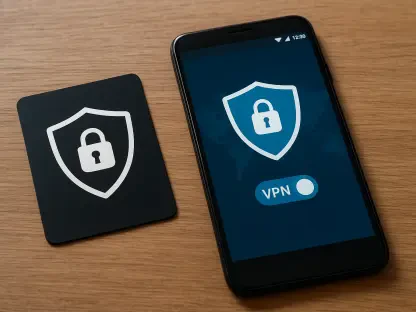

Digital security has evolved into a mandatory requirement for daily internet interactions rather than a niche preference for the tech-savvy minority. While a Virtual Private Network (VPN) serves as a primary defense against unauthorized surveillance and data harvesting, the mere presence of an active connection icon is not an absolute guarantee of privacy. In many instances, software vulnerabilities or configuration errors can lead to subtle data leaks that expose an individual’s identity to internet service providers or malicious third parties. Relying on visual confirmation of a connected status can create a false sense of safety that is easily shattered by a technical oversight. Consequently, it is necessary to verify that the encryption tunnel is functioning as intended through a series of empirical tests. By systematically checking the integrity of the tunnel, users can ensure their personal information remains shielded from prying eyes across various networks and devices. This verification process is essential for maintaining true anonymity in an increasingly monitored digital landscape.
1. Examine Your IP Address
Before initiating any encrypted session, one must establish a baseline by identifying the public IP address provided by the local internet service provider. This is easily accomplished by visiting a specialized lookup website that displays the current network coordinates and geographic location associated with the connection. This initial step provides the necessary data point for comparison once the security software is engaged. Identifying this original address ensures that any subsequent changes can be accurately measured, allowing the user to confirm that the software is performing its primary function of masking the source of the traffic effectively.
After the VPN is activated, the lookup site must be refreshed to see if the numerical identifier has transitioned to a completely different set of digits. If the address remains identical to the baseline recorded earlier, the application is failing to mask the connection properly and the user is essentially browsing without any protection. A successful shift indicates that the traffic is being routed through a remote server, effectively hiding the user’s home or office origin from the public web. This change is the first and most basic indicator that the encrypted tunnel has been established and is active for standard web browsing activities.
2. Determine If Websites Identify the VPN Server’s Location
Selecting a server in a distant geographical region is a standard method for bypassing regional content restrictions and enhancing overall privacy. Once the connection is established, an online search for location-based queries will reveal what websites perceive as the user’s physical point of origin. If the results reflect the server’s city or country rather than the user’s actual residence, the geographic masking is likely performing as expected for browser-based traffic. This allows for a more open internet experience while preventing marketing trackers from building a profile based on a specific residential location or local municipality.
However, it is important to remember that mobile applications often utilize integrated GPS hardware rather than network addresses to determine location. Even with a robust encryption tunnel, a smartphone may still broadcast precise coordinates to installed apps that have permission to access location services. Users should cross-reference their browser results with their mobile settings to ensure that physical tracking does not undermine the privacy provided by the virtual network. Adjusting application permissions and disabling location services on a per-app basis is often required to achieve a level of privacy that matches the network-level encryption.
3. Conduct a DNS Leak Assessment
A Domain Name System leak occurs when a browser bypasses the encrypted tunnel and sends web requests directly to the internet provider’s servers. This security flaw allows the provider to monitor which websites are being visited, even if the content of those visits remains hidden within the tunnel. Utilizing a dedicated DNS leak test while the software is running will show whether the requests are originating from the VPN’s infrastructure or the local network. This is a critical check because a masked IP address is of little use if the browsing history is still being logged by the local telecommunications company.
If the test results display the name or IP of a local internet provider, the connection is compromised and the user’s browsing history is being logged despite the active software. A secure configuration will only show the DNS servers associated with the chosen privacy service. Addressing these leaks often involves adjusting the network interface settings or ensuring the software’s proprietary DNS protection features are fully enabled within the application’s configuration menu. Maintaining DNS integrity is vital for preventing the accidental disclosure of browsing habits to third parties who may sell or analyze that specific data.
4. Test the Functionality of the Kill Switch
The kill switch is a critical safety mechanism designed to terminate all internet traffic immediately if the encrypted connection unexpectedly drops for any reason. Without this feature, a computer might automatically revert to a standard, unencrypted connection, exposing sensitive data before the user realizes the protection is gone. Testing this functionality requires enabling the feature in the settings and then manually severing the link to the remote server while an active task is running. This simulates a server failure and allows the user to see how the local system reacts when the secure tunnel is no longer available.
Upon disconnection, all web browsers and background applications should lose their ability to transmit or receive data from the internet. If a website remains accessible or a file download continues after the tunnel is closed, the kill switch is either inactive or failing to intercept the traffic properly. This failure represents a significant risk for users who require constant anonymity, making the reliability of this specific feature a top priority for secure deployments. Ensuring the kill switch works as intended prevents accidental data exposure during the brief moments when network stability might fluctuate or fail.
5. Check for WebRTC Data Leaks
Web Real-Time Communication is a technology integrated into most modern browsers to facilitate seamless video conferencing and voice calls without extra plugins. Unfortunately, this protocol can occasionally bypass VPN settings and reveal a user’s local IP address to a website or peer during a session. Performing a WebRTC-specific leak test is the only way to confirm if the browser is leaking these details despite the presence of an active encryption layer. This vulnerability is particularly dangerous because it can occur even when the main IP address and DNS requests appear to be perfectly secured.
If the local or public IP address of the home network is visible during the test, adjustments must be made to the browser’s internal settings or security extensions. Many privacy-focused tools offer specific toggles to disable WebRTC or force it to route all communications through the secure tunnel. Failure to patch this vulnerability can lead to de-anonymization, particularly on platforms that actively scan for real user addresses to enforce geographical bans or user tracking. Vigilance regarding these browser-level protocols is necessary to maintain a comprehensive shield against advanced identification techniques.
6. Inspect for IPv6 Leaks
As the internet continues its transition toward the more modern IPv6 protocol, many older security applications still only provide comprehensive protection for IPv4 traffic. If a local network supports IPv6 and the security software does not, the system may transmit data over the unencrypted IPv6 path by default. This creates a massive hole in the security perimeter where the user’s real identity and location are broadcasted alongside the seemingly protected traffic. Identifying whether the system is leaking IPv6 data is essential for users operating on modern infrastructure that utilizes both address types.
Verification tools are available to check if an IPv6 address is leaking outside the tunnel while the protection is active. If a real IPv6 address appears in the test results, the user should consider disabling IPv6 in their operating system settings or switching to a provider that offers full dual-stack protection. Ensuring that both protocols are accounted for is vital for maintaining a modern and resilient defense against sophisticated tracking mechanisms. A complete security strategy must address the dual nature of current internet addressing to ensure that no data packets are sent outside the encrypted environment.
7. Rerun the Tests After a New Connection
Connectivity issues often arise not during the initial setup, but after a device undergoes a change in its power state or network environment. When a laptop wakes from sleep mode or transitions from a cellular signal to a Wi-Fi hotspot, the VPN client may struggle to re-establish the encrypted tunnel correctly. During these transition periods, there is a high probability that data will leak over the unencrypted network before the software can re-engage its security protocols. These temporary gaps in coverage are often overlooked but represent a common point of failure in daily privacy maintenance.
It is highly recommended to perform a quick verification check following any significant change in the device’s status or network connection. Re-running the IP and DNS tests ensures that the software has successfully resumed its duties and that no sessions were accidentally exposed during the handoff. Consistent monitoring transforms a static security tool into a dynamic and reliable shield that adapts to the fluid nature of modern mobile computing and frequent travel. Developing a habit of checking the connection after network shifts provides an additional layer of certainty in an unpredictable digital environment.
8. How to Resolve VPN Issues
Encountering a failed test does not necessarily mean the software is fundamentally broken, but it does indicate that the current configuration is inadequate. The first logical step in resolving such issues involves toggling the connection off and back on or attempting to connect to a different geographical server. Sometimes, a specific node might be experiencing technical difficulties or high latency that prevents the encryption protocols from handshaking correctly with the host. If the problem persists across multiple locations, closing and restarting the application can clear out temporary memory errors.
If basic steps fail, updating the software to the current version or restarting the hardware can often clear persistent software glitches. It is also essential to dive into the advanced settings to ensure that leak protection and the kill switch are explicitly activated and not set to a bypass mode. When these local adjustments prove insufficient, contacting the provider’s customer service team becomes the best course of action to diagnose deeper compatibility issues. Professional support can provide specific instructions for handling unique network environments or hardware configurations that may interfere with encryption.
9. Strengthening Digital Resilience for Future Operations
The process of verifying a secure connection highlighted the inherent complexities of modern digital privacy and the need for constant vigilance. Users who took the time to validate their encryption tunnels discovered that software settings alone were not always sufficient to block sophisticated leaks. These tests demonstrated that a proactive approach to cybersecurity mitigated the risks associated with evolving tracking technologies and network vulnerabilities. Ensuring that every data packet traveled through the intended path became a foundational habit for those prioritizing their online safety in a complex world.
Moving forward, maintaining a secure environment involved adopting a multi-layered defense strategy that extended beyond a single software solution. This included integrating browser-level protections, hardware firewalls, and regular security audits to identify emerging threats before they could be exploited. Future security considerations focused on automated verification tools that monitored tunnel integrity in real-time without manual intervention. By staying informed and utilizing rigorous testing protocols, individuals successfully navigated the digital world with the confidence that their private information remained truly confidential.