
This custom-built .NET Trojan is specifically engineered to harvest sensitive profile data from at least nine different families of web browsers. As the year 2026 unfolds, cybersecurity researchers at Palo Alto Networks Unit 42 have identified a concerning trend involving the AgtaBackup Remote Access Trojan (RAT), which marks a significant shift in how threat actors compromise high-value Windows environments. This particular campaign does not rely on traditional exploit kits or unpatched vulnerabilities; instead, it targets the psychological vulnerabilities of users by leveraging the trusted visual identity of the Microsoft Store. By presenting a professional and familiar interface, the attackers successfully convince unsuspecting victims to download what appear to be standard productivity applications. The operational brilliance of this threat lies in its multi-stage delivery system, which begins with a legitimate piece of software and gradually transitions into a full-scale surveillance operation. The initial payload often consists of signed Remote Monitoring and Management (RMM) tools, which effectively bypass standard security filters and provide a quiet entry point for the secondary, more malicious payload. This approach reflects a growing trend in the cyber-threat landscape where the weaponization of trust is preferred over the brute-force methods of the past.
Initial Access: The Deception of the Fake Microsoft Store
Engineering Social Trust Through Branding
The initial infection phase of the AgtaBackup campaign relies heavily on a sophisticated social engineering infrastructure that utilizes landing pages meticulously designed to look exactly like the official Microsoft Store. These fraudulent websites are not merely amateur imitations; they replicate the high-resolution graphics, typography, and interactive elements that users expect from a legitimate Microsoft property. Typically, these sites advertise ubiquitous professional software such as Zoom, Microsoft Teams, or various productivity suites. By positioning these downloads within a framework that mimics a curated, safe digital marketplace, the threat actors significantly lower the natural skepticism of the average corporate user. This psychological manipulation is the first and most critical step in the chain, as it encourages the user to initiate a download that traditional antivirus systems might otherwise flag if it originated from a more suspicious or unknown domain. The use of familiar branding acts as a digital camouflage, allowing the initial stages of the attack to proceed without raising the alarms that usually accompany the download of executable files from the internet.
Furthermore, the actual files delivered through these fake store pages are not initially the AgtaBackup malware itself, but rather legitimate, digitally signed Windows Installer (MSI) packages for well-known Remote Monitoring and Management tools. Software such as LogMeIn Rescue or ConnectWise ScreenConnect is frequently utilized in this stage. Because these installers are signed by reputable developers, they do not trigger the common security warnings associated with unsigned or malicious software. When a user executes the installer, the Windows User Account Control (UAC) prompt displays a verified publisher name, which further reinforces the illusion of safety. Once the installation is complete, the compromised machine is automatically enrolled into an attacker-controlled RMM tenant. This provides the threat actors with a persistent, administrative-level gateway into the system that is indistinguishable from the tools used by a company’s internal IT department. This method effectively turns a legitimate administrative utility into a Trojan horse, granting the attackers broad access while remaining hidden behind the veil of authorized corporate activity.
Transitioning from Legitimate Tools to Malicious Payloads
After the RMM tool has been successfully deployed and the device is visible in the attacker’s management console, the threat actors typically adopt a “wait-and-see” approach. This strategic patience is designed to ensure that the initial installation does not cause any immediate disruption that might be flagged by behavioral monitoring software or a vigilant user. By delaying the next phase of the attack for several hours or even days, the intruders allow their presence to blend into the background of routine system processes. This dwell time is a hallmark of sophisticated operators who prioritize long-term persistence over immediate results. During this quiet period, the attackers may perform basic reconnaissance to confirm the value of the target, checking for active security software and the general configuration of the network. This careful orchestration ensures that the transition to the more intrusive AgtaBackup RAT occurs only when the likelihood of detection is minimized, making the eventual infection much more difficult to trace back to the initial fraudulent website.
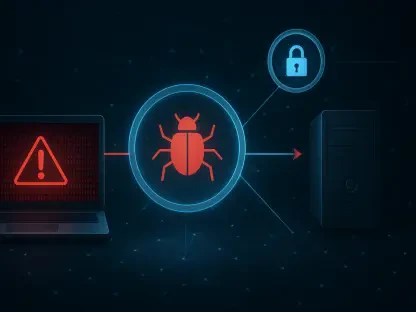
When the operators decide to move forward, they leverage the established RMM session to execute a PowerShell command that initiates the download of the AgtaBackup installer. This secondary MSI file is typically installed in a “quiet” mode using the standard Windows installer utility with specific flags that prevent any windows or progress bars from appearing on the victim’s screen. This silent deployment is critical for maintaining stealth, as it ensures the user remains completely unaware that a new, unauthorized service is being registered on their machine. The malware often installs itself as a system-level service with a deceptive name like “Agta Backup Agent” or “Credential Guard,” names that are intended to sound like essential Windows security or maintenance components. By masquerading as a native system service, AgtaBackup ensures that it starts automatically every time the computer boots up, providing the attackers with a reliable and permanent backdoor that can survive system reboots and basic troubleshooting efforts.
Technical Architecture and Surveillance Capabilities
Real-Time Interaction and Command Infrastructure
AgtaBackup is a highly specialized Remote Access Trojan developed using the .NET framework, specifically optimized for real-time interaction with a compromised host. Unlike simpler malware that may only check in with a command-and-control (C2) server once every few hours, AgtaBackup maintains a persistent connection via a WebSocket channel, frequently sending “heartbeat” signals every two seconds. This low-latency communication link allows the threat actors to interact with the victim’s machine in a manner that is almost indistinguishable from a local user session. The use of WebSockets is a strategic choice, as it facilitates full-duplex communication, meaning the server and the infected client can send data simultaneously without the overhead of traditional HTTP polling. This enables the attackers to execute commands, browse the file system, and adjust malware settings in real-time, providing a level of control that is significantly more agile than traditional asynchronous backdoors. This infrastructure supports a wide range of interactive operations, from simple file transfers to the execution of complex system scripts.
One of the most technically advanced features of the AgtaBackup RAT is its ability to operate within a “hidden desktop” environment, often referred to as a “backstage” session. This capability allows the attackers to launch command prompts, browse the web, or run administrative tools in a separate virtual desktop that is completely invisible to the person currently logged into the physical machine. While the victim continues their normal work, the attacker can be simultaneously navigating the company’s internal network or exfiltrating sensitive documents in the background without any visual indicators on the primary monitor. Furthermore, the malware is designed to manipulate the Windows User Account Control settings, specifically targeting the “Prompt on Secure Desktop” configuration. By disabling this feature, the RAT can programmatically interact with elevation prompts, allowing it to grant itself higher privileges without requiring the user to click a confirmation button. This sophisticated level of system manipulation ensures that the attackers can bypass some of the most fundamental security barriers built into the Windows operating system.
Data Exfiltration and System Monitoring
The primary objective of the AgtaBackup campaign is the systematic theft of sensitive information, with a heavy emphasis on harvesting data from web browsers. The malware is programmed with specialized routines to target at least nine different browser families, including global standards like Google Chrome, Microsoft Edge, and Mozilla Firefox, as well as niche browsers like Brave, Vivaldi, and Yandex. The RAT extracts more than just saved usernames and passwords; it also harvests session cookies, browsing history, and autofill data. By stealing active session cookies, the threat actors can often bypass multi-factor authentication (MFA) requirements for corporate cloud services, as they can simply import the stolen cookies into their own browser to impersonate the victim. This “pass-the-cookie” technique is a devastatingly effective way to gain unauthorized access to email accounts, cloud storage, and internal company portals, making the AgtaBackup infection a precursor to widespread data breaches and corporate espionage.
In addition to its browser-centric theft capabilities, AgtaBackup includes a robust keylogging component that records every keystroke made on the infected device. This keylogger is particularly dangerous because it captures credentials for applications that are not browser-based, such as VPN clients, corporate database managers, and local accounting or financial software. The malware also performs regular high-resolution screen captures, providing the attackers with a visual record of the user’s activities and potentially exposing sensitive information that is displayed on the screen but not stored in a traditional file format. All of this collected data is categorized and exfiltrated to the C2 server over the established WebSocket connection, often encrypted to prevent detection by network-based security appliances. The combination of comprehensive browser harvesting, real-time keylogging, and visual surveillance makes AgtaBackup one of the most intrusive data-collection tools seen in recent years, providing the operators with a complete picture of both the victim’s digital life and the organization’s internal operations.
Persistence and Strategic Mitigation for Organizations
Self-Preservation and Stealth Mechanisms
AgtaBackup is built with a deep focus on self-preservation, utilizing a multi-layered persistence strategy that makes it exceptionally difficult to remove. The malware installs two primary redundant components, often referred to as “Watchdog” and “Guardian” tasks, which are registered within the Windows Task Scheduler. These tasks are configured to run at high frequencies, often checking the status of the malware every sixty seconds. If a security tool or a manual administrator action terminates the AgtaBackup process or deletes its primary executable file, these watchdog tasks are designed to detect the failure and immediately re-download or re-install the malware from a hidden local backup or a remote server. This circular dependency creates a “self-healing” effect, where the infection can only be fully eradicated if all components and scheduled tasks are removed simultaneously. For many automated remediation tools, this requires a level of coordination that may not be present in standard cleanup scripts, leading to repeated re-infections that can frustrate IT staff and allow the attackers to maintain their foothold.
To further complicate discovery, the malware utilizes specialized permissions settings known as Service Descriptor Definition Language (SDDL) to hide its presence from local administrators. By applying a restrictive SDDL string to its system service, the RAT can prevent the service from appearing in the standard Windows Services management console, even when the user has administrative privileges. This level of invisibility means that an IT professional could be looking directly at the list of running services and still not see the “Agta Backup Agent” because the system has been instructed to hide it from everyone except the SYSTEM user. Additionally, the malware often places its files in obscure directories with names that mimic legitimate system folders, further blending into the noise of a standard Windows installation. These stealth techniques are specifically designed to defeat human analysts and manual inspection, forcing organizations to rely on advanced behavioral analysis and forensic tools to identify and confirm the presence of the Trojan within their environment.
Future-Proofing Defenses Against Evolving RATs
Defending against the AgtaBackup RAT and similar threats required a fundamental shift in how organizations managed their digital perimeters and internal security policies. Throughout the campaign, it became clear that simply blocking known malicious domains was insufficient, as the attackers utilized legitimate RMM infrastructure and perfectly replicated the aesthetics of trusted stores. Defenders found that the most effective way to identify these intrusions was to focus on behavioral anomalies, such as the unexpected enrollment of a corporate device into a non-standard management platform. Security teams that implemented strict application control policies, which only allowed software from a pre-approved list to run, were able to stop the AgtaBackup installer before it could ever establish a service. Furthermore, monitoring for specific registry changes, such as the modification of the “Prompt on Secure Desktop” key, provided an early warning sign that a system was being tampered with by a remote entity, allowing for rapid isolation and response.
As the campaign progressed, organizations also recognized the critical importance of network-level visibility, particularly the identification of persistent WebSocket connections to unverified external domains. By analyzing the frequency and nature of these connections, security operations centers were able to distinguish between legitimate cloud service traffic and the two-second heartbeat signals characteristic of the AgtaBackup C2 protocol. Education also played a vital role, as users were trained to recognize that the official Microsoft Store is an integrated Windows application and does not require visiting external landing pages for software like Zoom or Teams. Ultimately, the successful mitigation of this threat involved a combination of hardened system configurations, aggressive behavioral monitoring, and a proactive approach to verifying the legitimacy of remote management activities. These lessons helped shape the defensive strategies used throughout the rest of 2026, ensuring that the weaponization of trust was met with a more resilient and skeptical security posture.