
Back-to-back meetings blur into a single rush when a trusted name on Telegram insists a quick Terminal paste will rescue a failing call, nudging macOS users to trade caution for speed at the exact moment a thief needs only one click. That is the opening the ClickFix technique exploits: it turns the person on the keyboard into the installer, bypassing many safeguards that normally intercept scripts, downloads, and attachments.
This guide shows how to shut that door. It explains how the social engineering unfolds, how the macOS stealer kit works, and how to build fast, realistic defenses that keep browser sessions, cloud dashboards, and financial tools off-limits. The focus is practical: spot the lure, block execution, harden identity, and rehearse the cleanup so an urgent prompt never snowballs into a business crisis.
What This Guide Helps You Achieve
The guide equips security leaders, admins, and Mac-heavy teams to prevent, detect, and contain ClickFix-style compromises on macOS. By the end, readers can recognize the ruse in real time, deny the malicious steps that follow, and quickly revoke high-value access even if a session token slips.
Moreover, the guide turns attacker tradecraft into protective controls. Readers will translate real command prompts and infrastructure cues into detections, raise friction around risky scripts, and put identity policies between an attacker and the crown jewels.
Why This Guide Matters Now
ClickFix works because it feels normal. Business culture already tolerates “update the client,” “run this command,” or “open this helper app” during live calls, and messaging apps sit outside many email and DLP controls. When trust moves over Telegram and urgency sets the tempo, even clumsy code can land a decisive hit.
macOS is squarely in scope. As Macs spread across executive and product teams, many organizations still under-monitor shells, scripting engines, and Keychain access. The payoff is immediate: cookies, tokens, and saved credentials deliver silent entry to SaaS and finance without tripping MFA.
Step-by-Step Instructions
Step 1: Frame the Risk and Define a No-Paste Norm
Open with a clear policy: no Terminal pastes or ad-hoc app installs during live meetings, period. Train employees to respond with a polite, scripted refusal and an offer to reschedule after IT validates the request out of band.
Reinforce that real conferencing providers do not require command-line fixes mid-call. Post this guidance where it matters—executive briefings and team onboarding—and repeat it before big customer or investor meetings.
Step 2: Validate Contacts Outside the Chat
When a contact claims urgency, switch channels. Call a known phone number or start a fresh thread in a different system the team already trusts. If the identity cannot be confirmed within minutes, cancel the session.
Encourage teams to treat Telegram, Discord, and similar apps as high-risk for impersonation. Make “verify first, then meet” a measurable service-level rule for administrators who schedule external calls.
Step 3: Monitor and Constrain High-Risk Binaries
On macOS, log and, where possible, restrict curl, wget, bash, zsh, and osascript from spawning unknown binaries or writing to sensitive directories. Alert on parent-child chains where these tools fetch and execute files shortly after a conferencing page loads.
Tune exceptions for approved management tools to reduce noise. The aim is parity with Windows controls: script auditing on by default, signed binary enforcement for installers, and user consent prompts that cannot be suppressed by simple flags.
Step 4: Block the “Fix” Flow at First Touch
Teach red flags: “update client,” “fix session,” “paste this in Terminal,” or a download named like teamsSDK.bin. In the moment, users should exit the call and report the attempt via a dedicated channel with a one-click template.
Back this with detection. Convert known ClickFix commands, URLs, and Telegram bot patterns into EDR rules and DNS blocks. Watch for UI pop-ups that claim “software updated” just after a new process spawns or a small app bundle runs.
Step 5: Catch Second Stages and C2 Handshakes
Correlate short bursts of network requests to unfamiliar domains or Telegram APIs with recent process creations. A sudden host census—queries for system profiles, browser paths, and Keychain items—signals the second stage.
Operationalize indicators fast. Push newly observed ClickFix infrastructure, bot tokens, and file hashes to blocklists within hours, not days, and expire them when the campaign pivots.
Step 6: Deny Persistence Before It Sticks
Scan user-level persistence points: Login Items, LaunchAgents, and cron-style relaunchers. Create automated jobs to remove known keys and restore baselines when deviations appear.
Keep a catalog of approved Login Items by team. Unrecognized entries should trigger an immediate isolate-and-triage workflow, especially on executive laptops and finance workstations.
Step 7: Harden Identity and Session Survivability
Shorten session lifetimes for high-risk applications and enforce re-authentication for sensitive actions like wire approvals or repository administration. Monitor for token use from unusual locations or devices right after a suspected incident.
Reduce browser-stored credentials and watch for Keychain access attempts by untrusted processes. Where possible, require step-up authentication to unlock secrets even on a logged-in Mac.
Step 8: Exfiltration Response and Rapid Cleanup
Prepare for Telegram-based exfiltration. Add detections for compressed archives leaving the host and for traffic to known Telegram endpoints initiated by non-messaging apps. If triggered, isolate the device, pull EDR timelines, and mine network logs, since some payloads self-delete.
Drill the containment sequence: revoke SaaS tokens, rotate API keys, invalidate cloud sessions, and reset passwords for services tied to the affected browsers. Time is leverage—aim for execution within the hour.
Step 9: Exploit Attacker Mistakes to Your Advantage
Track and reuse adversary errors: exposed bot tokens, predictable file paths, and broken loops that peg CPU. These flaws create distinctive signals; encode them into rules and sweeps to find other compromised hosts.
Do not confuse sloppiness with safety. Even “badly written” stealers can drain wallets or unlock cloud consoles if a user runs the first command. Keep the social barrier high and the technical tripwires sensitive.
Quick Reference: The ClickFix Flow and Counters
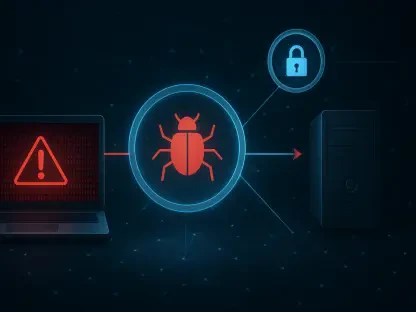
The lure starts in Telegram or via an impersonated contact, then shifts to a spoofed conferencing page that presses for a “fix.” The victim runs a command or launches an app, a second stage installs, the host is profiled, persistence lands, and a stealer hunts for cookies, tokens, and Keychain items before exfiltrating to Telegram and wiping traces.
Counter with executive-focused awareness, script controls on macOS equal to Windows, real-time conversion of attacker commands and IOCs into detections, identity hardening that limits token value, and a rehearsed plan for fast revocation and rotation across SaaS and cloud.
Conclusion
This guide mapped the ClickFix scheme to concrete defenses, from social friction at the first prompt to rapid token invalidation after an attempted theft. The steps placed people, process, and platform controls in sequence so a single refusal, a single alert, or a single rotation could break the chain.
Teams left with a playbook that turned attacker instructions into detections and closed macOS telemetry gaps that once hid shells and Keychain calls. The next move was straightforward: brief leaders, rehearse the no-paste rule, tighten script auditing, and test incident drills against a Telegram-driven lure so that the fastest path to compromise no longer stayed fast.