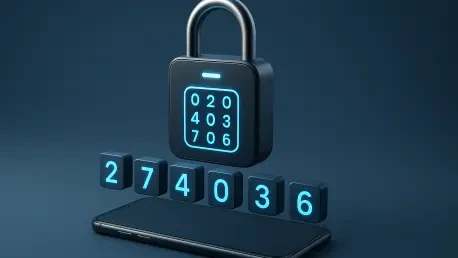

Unlike traditional text message verification, TOTP apps can generate authentication codes without requiring an active cellular or internet connection. This fundamental shift in how secondary security layers operate has become essential as the limitations of passwords continue to jeopardize digital identities across the globe. While the reliance on traditional passwords remains the industry standard, current security landscapes suggest that such singular defense mechanisms are increasingly insufficient for modern threats. According to the data highlighted in the Verizon 2025 Data Breach Investigations Report, compromised or stolen credentials were found to be the primary initial access vector in approximately 22% of all analyzed security breaches. This statistic underscores a persistent vulnerability where the theft of a single string of characters can lead to total account takeover. A Time-Based One-Time Password (TOTP) authenticator application mitigates this risk by introducing a dynamic, time-sensitive verification step that operates independently of a user’s network status. By cycling through unique numeric sequences every 30 seconds, these applications ensure that even if a password is leaked, the secondary hurdle remains insurmountable for an attacker who lacks physical access to the device.
1. The Underlying Mechanics of Time-Based Security
The functional core of a TOTP authenticator application is rooted in the RFC 6238 standard, which provides a mathematical framework for generating short-lived passwords based on a shared secret and the current time. This cryptographic method represents an evolution of the HMAC-Based One-Time Password (HOTP) algorithm, shifting the trigger for code generation from a specific event or counter to the steady passage of time. When a user configures TOTP on a service, a unique “secret key” is generated by the server and shared with the user’s device, typically via a secure QR code. From that moment onward, both the server and the smartphone application possess the same secret piece of data. They use this key, combined with the current Unix time, to perform a calculation that produces a matching six-digit or eight-digit code. Because the algorithm relies on the universal standard of time, both parties can arrive at the identical result simultaneously without ever needing to communicate over the internet during the actual login attempt.
The practical application of this technology manifests as a streamlined yet highly secure login journey for the end user. Once the account is registered within the application, the standard login process follows a predictable four-step sequence that significantly bolsters account integrity. First, the individual provides their traditional username and password on the service’s login portal. Next, instead of waiting for an SMS that might be intercepted or delayed by carrier issues, the user simply launches their preferred authenticator application on their smartphone. Third, the user locates the specific entry for that service within the app’s list of protected accounts. Finally, the user inputs the currently displayed numeric code into the website’s verification field before the 30-second window expires. Because the codes are constantly refreshed, any code captured by a malicious observer becomes mathematically useless almost immediately after it is generated, providing a robust defense against static credential harvesting.
2. Establishing a Secure Connection via QR Codes
Initiating the protection offered by TOTP requires a one-time synchronization process that is usually facilitated through the use of a QR code. Most modern web platforms have simplified this setup to encourage broader adoption of multi-factor authentication among their user base. To begin, the account holder must navigate to the profile security or account management section of the service they intend to secure. Within these settings, one typically looks for labels such as “Two-Factor Authentication,” “MFA,” or “Authenticator App Setup.” Upon selecting the option for an authenticator-based method, the service generates a unique cryptographic secret for that specific account. Instead of requiring the user to type out a long, complex string of alphanumeric characters, the site presents this secret in the form of a QR code, which serves as a visual bridge for transferring the sensitive enrollment data from the web server to the local hardware of the smartphone.
Once the QR code is visible on the computer screen, the process moves to the mobile device where the TOTP app is installed. The user selects the feature within the app to “Add Account” or “Scan QR Code,” which activates the phone’s camera to capture the visual data. This scan instantly transmits the secret key and the account details into the application’s secure storage. It is vital to recognize that this QR code contains the master secret required to generate all future authentication values; therefore, it should never be shared, screenshotted, or posted in any public or semi-private digital space. To finalize the link, the website will prompt the user to enter the current six-digit code displayed by the app. This final verification step ensures that the time synchronization between the device and the server is accurate and that the secret key was transferred successfully. Once confirmed, the account is effectively shielded by the secondary layer, requiring the physical presence of the device for all subsequent successful logins.
3. Evaluating Options for Choosing a Reliable Application
Given that TOTP is an open, standardized protocol, users have the flexibility to choose from a wide variety of compatible applications rather than being locked into a single proprietary ecosystem. When selecting the most appropriate tool for managing these digital keys, several critical factors regarding data management and security must be carefully evaluated. Primary among these is the app’s approach to safe backup and data recovery. Because the authentication secrets are stored locally on the device, losing or damaging a smartphone can lead to a complete lockout if a recovery mechanism is not in place. Some applications offer encrypted cloud synchronization that allows for seamless recovery across devices, while others emphasize local-only storage for maximum privacy. Users should investigate whether the application provides a clear path for exporting data or if it relies on a specific ecosystem’s backup services to maintain the continuity of account access.
Beyond simple availability, the internal security architecture of the chosen application is paramount. High-quality authenticator apps should implement robust data encryption to protect the stored secret keys from being accessed by other malicious software on the device. Furthermore, the inclusion of local security locks—such as a mandatory fingerprint scan, face recognition, or a separate PIN—adds a necessary layer of protection if the phone itself is unlocked and falls into the wrong hands. Additionally, users should look for a seamless device migration feature that allows for the transfer of all accounts to a new smartphone without the tedious process of re-enabling 2FA for every individual service. Finally, the reputation of the developer and the privacy standards of the app should be vetted. A professional security tool should require minimal permissions, specifically avoiding unnecessary access to contacts, location data, or browsing history, focusing solely on the camera for QR scanning and secure storage for the keys.
4. Strategies for Preventing Account Lockouts and Enhancing Privacy
Maintaining long-term access to protected accounts requires a proactive strategy that extends beyond the initial installation of a TOTP app. One of the most effective ways to ensure security is to implement a multi-layered defense on the smartphone itself. Since the authenticator app effectively turns the phone into a physical security token, the device should always be protected by a strong passcode and biometric authentication. This prevents an unauthorized person from simply opening the app and viewing the active codes. Furthermore, users must prioritize the safekeeping of “recovery codes” or “backup codes” provided by services during the initial 2FA setup. These codes are designed to bypass the TOTP requirement in the event the phone is lost or the app data is corrupted. These should be printed and stored in a secure, physical location, such as a home safe, or kept in a dedicated, encrypted password manager that is separate from the mobile device.
Privacy and foresight are equally important when managing the lifecycle of a TOTP setup. For instance, the original QR code used for enrollment contains the permanent secret key for that account; sharing a screenshot of this code or leaving it visible on a shared screen is equivalent to giving away a master key. Users should also be aware of social engineering tactics where attackers pose as customer service representatives. It is a fundamental rule of digital hygiene that no legitimate service provider or support agent will ever ask for the six-digit code currently displayed in an authenticator app. Finally, planning for hardware upgrades is essential. Before wiping or trading in an old device, a user must ensure that the “Export” or “Transfer” feature within the app has been used to move the accounts to the new phone. Assuming that a simple app re-installation or a standard cloud restore will automatically bring over the sensitive TOTP secrets can lead to significant access issues if the specific app does not support automated, encrypted syncing.
5. Resolving Typical Authentication Failures and Errors
Even with a perfectly configured system, users may occasionally encounter situations where a generated code is consistently rejected by the target service. The most common cause for this discrepancy is “clock skew,” where the internal time of the smartphone does not perfectly align with the time on the service’s server. Because the TOTP algorithm is strictly time-dependent, even a difference of a few minutes can result in the generation of a code that the server perceives as being from the past or the future. The most effective resolution for this issue is to ensure that the mobile device’s date and time settings are configured to “Automatic” or “Network-Provided.” This allows the phone to synchronize with atomic clocks via cellular or Wi-Fi signals, ensuring the mathematical calculations remain in sync with the server’s expectations. Some authenticator apps also include an internal “Time Sync” feature within their settings menu to manually realign the app’s internal clock without changing the system-wide time.
Another frequent challenge involves the transition between devices or the management of the 30-second expiration window. If a code is rejected, the simplest first step is to wait for the next timer cycle and enter the new code immediately to rule out expiration as the cause. More complex issues arise when a user finds their account list empty after moving to a new phone. In many cases, standard operating system backups do not include the sensitive, encrypted “secrets” inside security apps for safety reasons. To resolve this, users must utilize the application’s specific migration tools, which often involve generating a “Master Export QR Code” on the old device and scanning it with the new one. If the old device is already inaccessible, the only remaining solution is to use the previously saved physical recovery codes to log in and reset the 2FA settings. Understanding these common failure points allows for a more confident use of TOTP technology, turning what could be a stressful lockout into a manageable technical adjustment.
6. Implementation Steps for Robust Digital Identity Management
The transition toward Time-Based One-Time Passwords represented a significant advancement in personal and organizational security protocols. By moving away from the vulnerabilities inherent in SMS-based verification—such as SIM swapping and network interception—users established a more resilient defense against the prevailing threats of the mid-2020s. The deployment of TOTP authenticator apps successfully addressed the critical need for an offline, standardized, and high-entropy second factor that could be managed across multiple platforms with a single interface. While the landscape of cybersecurity continued to evolve toward even more advanced solutions like passkeys and FIDO2 hardware tokens, the implementation of TOTP remained a foundational step for anyone looking to secure their digital presence. The process involved shifting from simple, static passwords to a dynamic system where physical possession of a synchronized device became a requirement for access.
To maintain this heightened state of security, the most effective approach involved a combination of unique password generation, the consistent use of TOTP apps, and the disciplined management of recovery assets. Organizations and individuals who adopted these practices found themselves significantly less susceptible to the credential-based attacks that defined the previous era of digital crime. The practical next steps included auditing all sensitive accounts to ensure that authenticator-based MFA was enabled and verifying that backup codes were physically secured. As digital identity became more integrated into every aspect of daily life, the use of a TOTP authenticator app served as both a practical tool and a necessary standard for protecting personal data. This historical shift in user behavior proved that when security tools are both accessible and standardized, they can effectively neutralize the risks posed by even the most sophisticated credential harvesting campaigns.