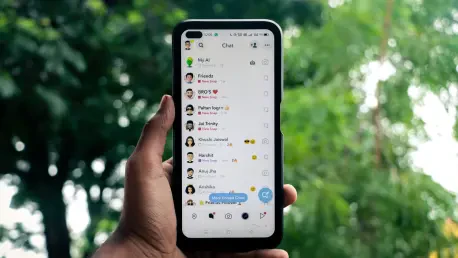

Recent investigations have uncovered organized fraudulent call centers that utilize fake social media identities to systematically defraud unsuspecting messaging app users. This wave of cybercrime utilizes emotional triggers, such as the desire to support a friend’s child in a competition. A typical scenario involves receiving a direct message from a contact who hasn’t reached out in months. The message contains a brief request to “vote for my daughter” or a similar variation, followed by a link to a voting portal. This deceptive tactic relies on the recipient’s trust and natural inclination to be helpful. Once the user clicks the link, they are redirected to a convincing phishing page that mimics a legitimate contest platform. These sites frequently demand that users log in through their Telegram credentials to verify their vote. By doing so, the user unwittingly hands over the keys to their digital identity to organized crime groups. This methodology is dangerous because it exploits pre-existing relationships.
1. Implementing Two-Factor Authentication and Privacy Settings
Activating two-factor authentication stands as the primary defense mechanism against unauthorized takeovers in 2026. This feature introduces a mandatory second layer of safety that remains independent of the standard login code. Even if a sophisticated attacker manages to intercept a user’s primary login credentials, they will remain barred from the profile without the unique secondary password. Users must navigate to the Privacy and Security menu and select the Two-Step Verification option to establish this essential guard.
Restricting the visibility of personal data is another vital step in mitigating social engineering risks. By managing who can view a phone number, profile image, and online status, users significantly reduce the information available for attackers to harvest. Within the Privacy and Security tab, one should adjust these visibility settings to “My Contacts” to ensure that strangers cannot easily identify targets. This adjustment creates a smaller digital footprint, making it harder for automated bots to catalog user profiles.
2. Managing Group Invitations and Monitoring Device Sessions
Managing group and channel invitations serves as a critical filter for stopping the spread of malicious content. Random invites are frequently used by automated scripts to pull unsuspecting users into uncontrolled environments where fraudulent links are widely distributed. In the privacy settings, users should modify permissions so that only individuals in their contact list can add them to new conversations. This simple change helps to filter out a vast majority of spam and prevents exposure to dangerous URLs without consent.
Monitoring active login sessions is equally essential for identifying unauthorized access that may have occurred. Users should periodically visit the Devices section in their settings to review every active location where their account is signed in. This list provides detailed information, such as the device model and geographic location of the login. If a device appears that the user does not recognize, the session should be terminated immediately. Regularly auditing these connections ensures only trusted hardware has access to sensitive messages.
3. Establishing Application Passcodes and Local Device Security
Establishing a local application passcode provides a physical layer of security that protects messages from being accessed directly on a smartphone. Under the Privacy and Security settings, users can enable a lock code that requires a specific pin or biometric scan every time the application is opened. This ensures that even if the smartphone itself is unlocked, the sensitive conversations within the app remain inaccessible to prying eyes. Many users also enable the automatic lock feature, which secures the app after a short period of inactivity.
This additional barrier serves as a final line of defense, maintaining the confidentiality of information regardless of the physical environment. Incorporating biometric security measures adds convenience without sacrificing the robust protection needed to navigate the digital world safely. It is particularly useful if a device is ever lost, stolen, or handled by an unauthorized individual. These local settings should be reviewed regularly to ensure they are functioning as intended and providing the necessary level of data encryption.
4. Verifying External Requests and Responding to Breach Attempts
Reacting appropriately to suspicious links is the most effective way to halt a scam before damage occurs. If a contact sends a request to vote in a contest, the recipient should immediately verify the request through an alternative communication channel. It is vital to never share verification codes or enter them into any third-party website, as these codes are intended solely for account access and are never required for legitimate voting. Taking this brief pause to evaluate a message can save hours of effort required to recover a profile.
If a link has already been clicked, the user must act quickly by checking their active devices list to eject any intruders. They must also ensure that two-step verification is active and change their secondary password if it was compromised. These immediate steps can neutralize the threat and preserve the integrity of the user’s digital identity. Vigilance and a healthy sense of skepticism remain the most powerful tools against decentralized fraud networks. Prompt action is the key to preventing a minor mistake from becoming a full-scale loss.
5. Adopting Proactive Habits and Utilizing Recovery Tools
Beyond immediate technical settings, adopting proactive digital hygiene habits ensures long-term protection against evolving threats. Users should familiarize themselves with the official recovery tools provided by the platform, which can be indispensable if an account is lost. These tools often require a linked email address, making it critical to keep that secondary account secure with its own unique credentials. Regularly checking for app updates is also necessary, as developers frequently release patches that fix vulnerabilities exploited by hackers.
Educational awareness is the secondary pillar of this defense strategy. Users must understand that no messaging app is entirely immune to sophisticated social engineering, regardless of its built-in security features. By staying informed about the latest scam variations, such as the children’s contest ruse, individuals can spot red flags before they become victims. Sharing this knowledge with less tech-savvy friends and family members can help create a safer community for everyone. Knowledge remains the ultimate deterrent in a world of digital deception.
6. Executing Strategic Protocols for Long-Term Digital Integrity
Strategic defenses against messaging scams proved to be the most effective way to maintain digital integrity during recent cyberattack cycles. Security experts recommended that users adopted a multi-layered approach to privacy, focusing on technical barriers and informed decision-making. These initiatives successfully reduced the success rate of phishing campaigns by encouraging proactive session audits and secondary authentication. Organizations prioritized the education of their members, emphasizing that human intuition remained a critical component.
By implementing these practical solutions, individuals safeguarded their data against increasingly sophisticated fraudulent operations. The commitment to maintaining robust digital hygiene resulted in a more secure environment for all users in 2026. Future safety considerations focused on the integration of automated detection to provide real-time warnings during interactions. These measures ensured that the community remained resilient against the rising tide of identity theft and financial fraud. Experts continued to monitor these trends to provide further guidance.