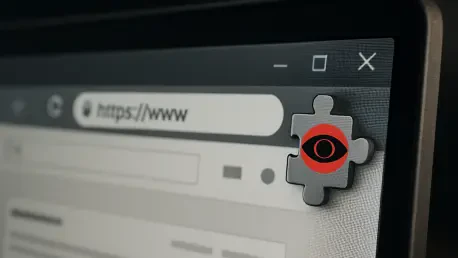

The unassuming artificial intelligence assistant, now a permanent fixture in countless web browsers, has become an indispensable tool for boosting productivity by summarizing complex articles and drafting professional emails. The trust placed in these everyday productivity tools has been profound, yet a recent discovery revealed a startling betrayal: hundreds of thousands of users were unknowingly feeding sensitive corporate and personal data directly to attackers through counterfeit AI extensions. This incident starkly highlights the central conflict of the modern digital workspace—the immense convenience offered by AI versus the sophisticated and often invisible security risks that accompany it. These malicious tools operate not by breaking down digital doors, but by being invited in, disguised as helpful assistants.
That Helpful AI Assistant in Your Browser—What if It’s a Double Agent?
The rapid integration of artificial intelligence assistants into daily digital workflows has fundamentally altered how professionals and individuals interact with information. Tools that summarize lengthy documents, compose emails, or analyze source code are no longer novelties but standard components of a productive day. This reliance has cultivated a new kind of user behavior where pasting information into a chat window is a reflexive, almost unconscious action, driven by the promise of immediate assistance and efficiency.
This behavioral shift, however, has inadvertently created a hacker’s goldmine. Users have become conditioned to entrust these AI chat windows with highly sensitive information, from confidential corporate strategy documents and proprietary software code to personal financial details and private communications. Cybercriminals have taken notice, recognizing that this newly established trust is a vulnerability waiting to be exploited. They no longer need to trick users into visiting a fake website; they can simply insert themselves into the tools users already depend on, turning a trusted assistant into a covert data siphon.
Anatomy of a Digital Heist: How Malicious Extensions Trick You and Steal Your Data
The initial deception is built on a foundation of familiarity and perceived credibility. Malicious extensions often masquerade as legitimate tools, using names that closely mimic well-known brands, such as “Gemini AI Sidebar” or “ChatGPT Translate.” Their illusion of legitimacy is further bolstered by impressive download counts, often in the tens of thousands, and a plethora of positive reviews. In some instances, these counterfeit applications even managed to secure a “Featured” tag on the Chrome Web Store, a mark of endorsement that effectively eliminates user suspicion and encourages widespread adoption.
Beneath this convincing facade lies a simple yet ingenious technical trap. When a user activates the extension, it does not execute code locally. Instead, it discreetly overlays a full-screen, invisible window—known as an iframe—over the current webpage. This window is a direct portal to a web application hosted on a server controlled entirely by the attacker. Consequently, every character the user types and every piece of information they paste into the chat interface is not being processed by a trusted AI service but is instead being sent straight into the hands of a cybercriminal, all while the user remains completely unaware of the redirection.
The final stage of this digital heist ensures the crime goes unnoticed. After the attacker’s server captures the user’s prompt, along with the entire content of the active webpage, it completes the illusion by forwarding the original prompt to a real Large Language Model (LLM). The LLM generates a genuine, helpful response, which is then relayed back to the user through the malicious extension. From the user’s perspective, the tool works perfectly, delivering the expected output without any errors or signs of compromise. This seamless experience is the key to the operation’s success, leaving victims unsuspecting while their most sensitive data is silently stolen.
From the Security Trenches: Researchers Uncover a Coordinated Attack
A recent investigation by the security firm LayerX brought the scale of this threat into sharp focus, identifying a coordinated network of over 30 functionally identical malicious extensions operating on the Chrome Web Store. Though they were marketed under different names to broaden their reach, their underlying code and data-stealing mechanisms were identical, pointing to a single, organized campaign that successfully duped more than 260,000 users. This discovery underscores a sophisticated and scalable attack model that leverages the official marketplace as a distribution channel.
Natalie Zargarov, a key security researcher on the team, noted that the campaign’s true danger lies in its weaponization of established user habits. Unlike past threats that mimicked banking portals, this new wave of attacks impersonates AI interfaces, a category of tools into which users now routinely input sensitive data as part of their normal workflow. This exploitation of trust makes the attack particularly insidious. Furthermore, the attackers designed their extensions to evade platform security checks by housing the malicious logic on remote servers. The code within the extension itself appears benign, allowing it to pass Google’s automated reviews and remain on the store, sometimes for weeks, while actively harvesting information.
Your Digital Self-Defense Plan: How to Vet and Manage Browser Extensions
The first line of defense is to critically scrutinize the permissions an extension requests upon installation. An AI tool designed to summarize text or translate a webpage should not require the ability to “read and change all your data on all websites.” Adopting a “least privilege” mindset is crucial; if the permissions seem excessive for the extension’s stated function, it is a significant red flag. Granting broad access provides a potential backdoor for data theft, and users should always question why a simple tool needs such sweeping control over their browsing activity.
Before installing any extension, it is wise to investigate the developer. A legitimate developer typically has a professional website, a clear privacy policy, and a history of other reputable applications. Conversely, a developer with no online presence, a generic or non-existent website, or a portfolio of suspiciously similar, low-quality extensions should be viewed with caution. Taking a few moments to perform this background check can help distinguish between a trustworthy software provider and a front for a malicious operation.
While user reviews can be helpful, they can also be misleading. Attackers often populate their extension’s page with fake, five-star ratings to build a facade of credibility. Users should learn to read between the lines, looking for signs of inauthenticity, such as generic, repetitive comments, a sudden influx of positive reviews over a short period, or reviews that lack specific details about the user’s experience. A healthy dose of skepticism toward overwhelmingly positive yet vague feedback is a vital part of a robust vetting process. Finally, conducting a regular audit of all installed browser extensions is an essential security habit. Periodically review the list of extensions and remove any that are no longer used, are from an unknown developer, or seem suspicious.
The discovery of this widespread malicious campaign served as a critical reminder that convenience and security are often in a delicate balance. While AI-powered tools had revolutionized productivity, their rapid adoption created unforeseen vulnerabilities that threat actors were quick to exploit. The incident prompted a re-evaluation of the trust placed in third-party browser extensions and underscored the need for greater user vigilance and more stringent platform-level security vetting. It was a clear demonstration that in an increasingly integrated digital world, the most helpful-looking tools could conceal the most significant risks.