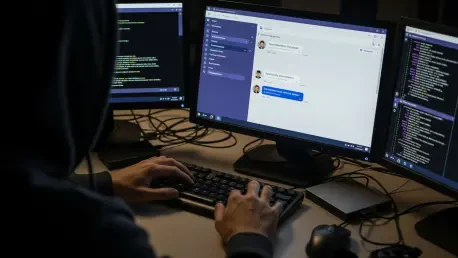

Corporate security perimeters are being bypassed by sophisticated threat actors who exploit the inherent trust users place in internal collaboration platforms like Microsoft Teams to execute social engineering schemes. This emerging trend involves hackers posing as technical support personnel to initiate unauthorized contact through external chat functionalities, effectively turning a productivity tool into a direct gateway for corporate espionage. By leveraging the cross-tenant communication feature, attackers can reach employees who believe they are interacting with their own organization’s helpdesk or IT department. The psychological manipulation relies on the urgency of a supposed security update or an account issue, which disarms the victim’s natural skepticism. Once a connection is established, the attackers bypass traditional email filters and phishing protections, moving straight into the workspace where employees feel most secure. This strategic shift highlights a critical vulnerability in how modern enterprises manage external identities and trust within their digital environments during 2026 and beyond.
1. The Mechanics of Initial Access and Remote Control
The intrusion typically begins when a target receives an unsolicited message from an external Microsoft Teams account that has been meticulously crafted to look like an official corporate support entity. Attackers utilize high-quality branding and professional language to convince the employee that an immediate technical intervention is required to maintain system stability or compliance. Once the victim is engaged, the primary objective is to persuade them to launch a remote assistance session using legitimate tools such as Quick Assist, which is natively integrated into Windows. This method is particularly effective because it does not require the installation of traditional malware that might be flagged by endpoint detection and response systems. By gaining direct control over the employee’s workstation through a trusted application, the threat actor effectively assumes the identity of the user, making subsequent malicious actions appear as legitimate administrative activity within the network logs.
After establishing a foothold via remote assistance, the threat actor conducts rapid reconnaissance to evaluate the value of the compromised system and the potential for further penetration. They utilize standard administrative interfaces like Command Prompt and PowerShell to identify the machine’s domain membership, network reachability, and the extent of the user’s local privileges. To ensure long-term access, the hackers often deploy a small payload bundle into user-writable directories like ProgramData, hiding their presence within the file system. They execute this malicious code through DLL side-loading, a technique where a signed and trusted application, such as an Adobe or Autodesk product, is forced to load a rogue library. This strategy ensures that the command-and-control traffic, which is conducted over HTTPS, blends seamlessly with the standard outbound data generated by everyday business operations. This stealthy approach makes it nearly impossible for standard monitoring tools to distinguish between a productive employee and a malicious intruder.
2. Lateral Movement and Defensive Remediation Strategies
Once persistence is firmly established, the attackers pivot toward the broader enterprise network by abusing the Windows Remote Management protocol to move laterally between systems. They specifically target high-value assets, such as domain controllers or servers containing proprietary data, using the credentials harvested during the initial phase of the breach. To facilitate the theft of large volumes of information, they often deploy specialized utilities like Rclone, which allow them to synchronize local files with external cloud storage providers efficiently. The exfiltration process is highly selective, using filters to pinpoint sensitive documents while ignoring noise to minimize the bandwidth footprint and avoid triggering data loss prevention alerts. By the time the breach is discovered, the actors have often mapped the entire network architecture and successfully moved several gigabytes of intellectual property to secure, off-site repositories that they control.
Organizations addressed these emerging threats by implementing stricter controls on external collaboration and rethinking their approach to remote support protocols. Administrators moved to restrict the usage of Quick Assist and similar remote management tools to only those machines that absolutely required them, while also enforcing granular policies for external Teams tenants. Security teams prioritized the monitoring of Windows Remote Management traffic and implemented multi-factor authentication for all internal lateral movements to slow down unauthorized actors. The shift toward a zero-trust architecture became the standard defense, ensuring that even verified internal accounts were continuously validated based on behavior and context. Employees were educated to recognize the nuances of cross-tenant communication warnings, which served as a final line of defense against social engineering. These proactive measures successfully reduced the success rate of helpdesk impersonation attacks by forcing intruders to find much more difficult and detectable paths into the corporate core.