
Rupert Marais sits at the forefront of endpoint security, bringing years of tactical experience in defending network infrastructures against the most sophisticated modern threats. As an expert in cybersecurity strategy, he has spent his career dissecting how attackers manipulate legitimate system tools to bypass high-level defenses. His recent analysis of the February 2026 ClickFix campaign reveals a troubling shift in how social engineering exploits the trust users place in administrative interfaces. By moving away from traditional shortcuts and embracing deep-system utilities, attackers are finding fresh ways to deliver payloads like Lumma Stealer while remaining under the radar of standard security protocols.
Traditional social engineering often relies on the Windows Run dialog, but newer campaigns utilize the Windows + X → I shortcut to launch Windows Terminal directly. How does this transition into a privileged terminal environment affect user trust, and what specific detection gaps does this pivot exploit?
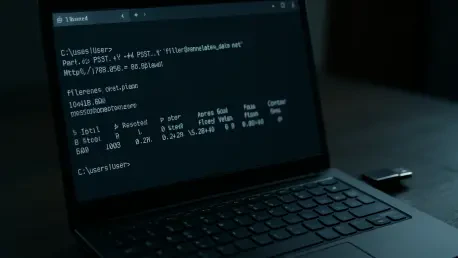
The shift to the Windows Terminal, specifically using the “wt.exe” executable, is a masterclass in psychological manipulation because it places the victim inside a space they associate with professional troubleshooting. When a user presses Windows + X and then I, they aren’t just opening a program; they are entering a privileged environment that mirrors the exact steps a legitimate IT administrator might walk them through. This campaign effectively bypasses older detection models that were strictly tuned to flag suspicious activity within the classic Windows Run dialog. By guiding users into this modern terminal emulator, the attackers exploit a massive gap where security tools might overlook the execution of commands that appear to be part of a standard administrative workflow. It feels far more authoritative and less “sketchy” to a user than a weird pop-up box, which is exactly why the success rate for these verification-style lures has surged.
When users are tricked by fake CAPTCHAs or troubleshooting lures, they often paste hex-encoded, XOR-compressed commands into their terminal. What makes this specific encoding and compression method so effective at evading network-level filters, and what does the subsequent multi-stage download process look like?
The use of hex-encoding combined with XOR compression acts as a digital smoke screen that renders the malicious intent invisible to standard network inspection tools. Most filters are looking for recognizable PowerShell strings or clear-text URLs, but a string of hex digits looks like harmless data noise to an automated system. Once that command is pasted and executed, it triggers a chain where the Terminal invokes PowerShell to decode the script, which then reaches out to grab a ZIP payload. This isn’t a simple one-click infection; it is a coordinated sequence where the script manages the heavy lifting of decompressing and preparing the next stage of the attack in memory. Watching this unfold is like seeing a specialized machine assemble itself piece by piece, starting with a small, nonsensical string and ending with a fully functional malware staging environment.
Once a payload is active, it frequently establishes persistence through scheduled tasks and modifies Microsoft Defender exclusions. How do attackers use renamed legitimate binaries, such as 7-Zip, to mask these administrative changes, and what are the primary challenges for security teams in identifying this behavior?
Attackers are increasingly leveraging “Living-off-the-Land” tactics by using a legitimate 7-Zip utility but giving it a completely randomized file name to hide its true nature. By using a trusted, signed binary to extract the malicious contents of a ZIP file, the attackers avoid the “red alert” that usually goes off when an unsigned or unknown executable tries to modify the file system. The real danger lies in how this utility is used to quietly configure Microsoft Defender exclusions, essentially telling the operating system to look the other way while the malware operates. For a security team, this creates a needle-in-a-haystack scenario where they have to distinguish between a legitimate administrative task and a malicious process using a legitimate tool. It’s incredibly frustrating for defenders because the system is technically doing exactly what it was told to do by a “privileged” user, making the betrayal feel almost personal.
Lumma Stealer employs the QueueUserAPC() technique to inject malicious code into active browser processes like Chrome or Edge. What specific browser artifacts are most vulnerable during this stage, and how does the use of etherhiding via blockchain RPC endpoints complicate the task of tracking exfiltrated data?
Once the malware uses the QueueUserAPC() function to slip into “chrome.exe” or “msedge.exe,” it goes straight for the “Web Data” and “Login Data” files, which are the crown jewels of user identity. These artifacts contain everything from saved passwords to credit card details and session tokens, allowing the attacker to hijack the user’s entire digital life without needing to crack a single password. The integration of “etherhiding” via Crypto Blockchain RPC endpoints adds a layer of complexity that is a nightmare for forensic analysts. By masking their command-and-control traffic as legitimate blockchain interactions, the attackers ensure that their data exfiltration looks like normal, modern web traffic. This makes it nearly impossible to block at the firewall level without also blocking legitimate decentralized finance or cryptocurrency applications that a company might actually use.
Some attack pathways involve executing batch scripts via MSBuild.exe to write Visual Basic scripts into temporary folders. Why is MSBuild such a desirable vector for these secondary stages, and what indicators of compromise should administrators prioritize when monitoring for this type of living-off-the-land bin abuse?
MSBuild.exe is a developer’s tool that is ubiquitous in Windows environments, which makes it the perfect camouflage for executing malicious code under the guise of a software build process. In this specific pathway, the attackers use a batch script located in the “AppData\Local” folder to drop a Visual Basic script into the %TEMP% directory, which MSBuild then executes using the /launched command-line argument. Administrators should be deeply concerned when they see MSBuild spawning from a batch script or interacting with the Temp folder, as this is rarely a behavior seen in standard production environments. The primary indicators to watch for are unusual parent-child process relationships, such as cmd.exe calling MSBuild.exe to run scripts that eventually reach out to external blockchain endpoints. It’s a classic case of an attacker using the house’s own tools to break the locks, and catching it requires looking past the “legitimacy” of the program name.
What is your forecast for ClickFix campaigns?
I expect ClickFix campaigns to evolve into even more convincing “system repair” simulations that target the deep-seated anxieties users have about their technology failing. We will likely see these attackers move beyond just Windows Terminal and start exploiting other modern administrative frameworks like Power Automate or even web-based management consoles to trick users into executing code. As long as attackers can create a sense of urgency through fake errors or troubleshooting prompts, they will continue to find success by staying one step ahead of the UI changes in the operating system. My forecast is that we will see a significant increase in the use of blockchain-based “etherhiding” for all stages of the attack, making the infrastructure behind these campaigns almost impossible to dismantle through traditional takedowns. The human element remains the weakest link, and these campaigns are becoming increasingly adept at pulling the right levers of trust and technical confusion.